Help desk
Support
Answers to common questions about Salvo. If yours isn't here, email us and a real person will reply, usually within two business days.
Common questions
How do I play on iPhone Duo?
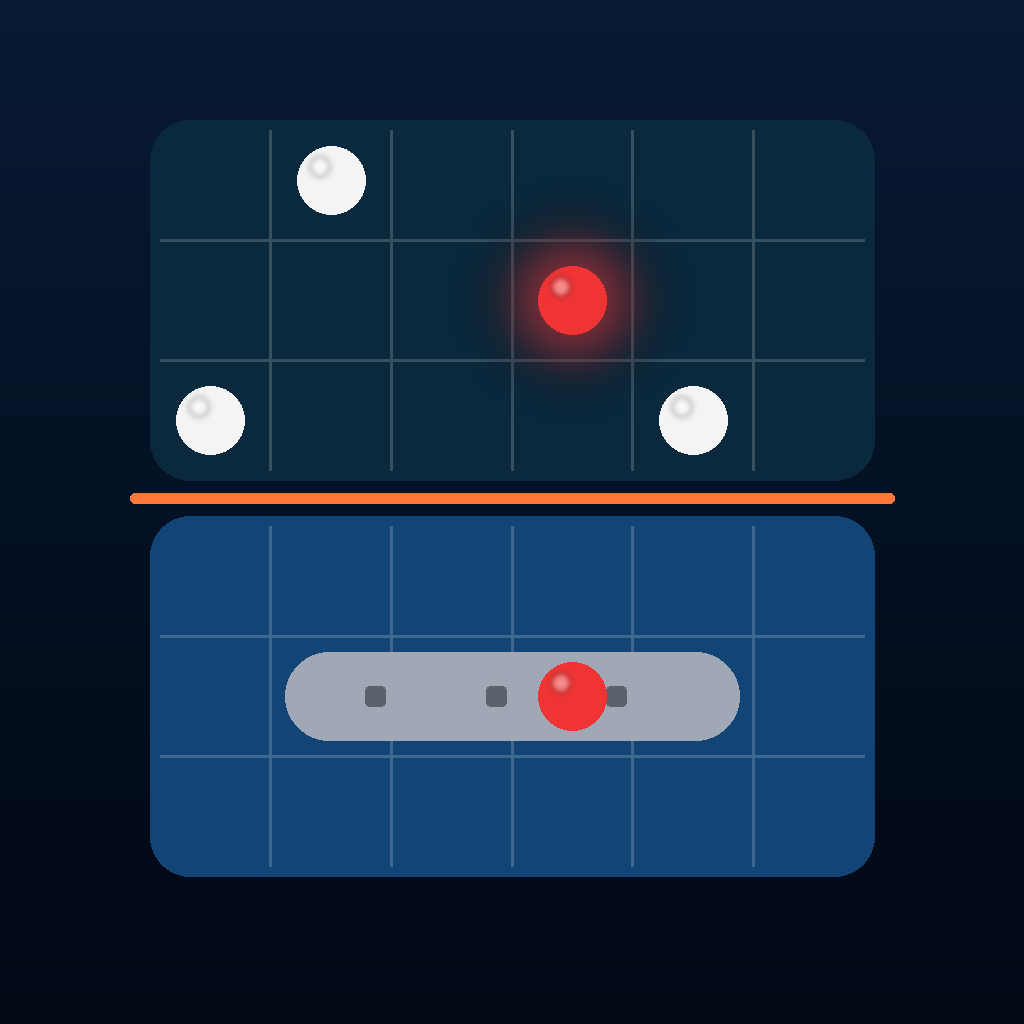
Partly fold iPhone Duo and stand it like a small laptop. The upright half shows the opponent's waters, where you fire. The flat half holds your fleet and the controls.
Held like a book, the boards sit on either side of the fold. iOS shows apps on the outer display only while iPhone Duo is closed, so battles use the inner display while it's open.
How do I fire?
Tap a square in enemy waters to aim, then tap Fire. Tap the selected square again to fire right away. On iPhone Duo with Flick to Fire on, aim and then push the upright half back.
What do the special weapons do?
With Arsenal rules, each side gets one Sonar Ping (counts hidden ship squares in a 3 × 3 area), one Airstrike (three squares in a line; rotate it in the weapon menu) and one Torpedo (runs along a row from the nearer edge until it hits a ship).
Turn them off by choosing Classic rules in Settings. Online, weapons are used only when both players have Arsenal on.
How does the Daily Hunt score work?
Everyone hunts the same hidden fleet each day. Your first attempt of the day counts for the leaderboard; later attempts are practice. Share your result as a spoiler-free grid when you sink the fleet.
I can't start a Game Center match.
Game Center matches need you to be signed in to Game Center in the Settings app on your device. If the Game Center card in Salvo says you're not signed in, tap Sign In, then try Live Match or Turn-Based again.
Turn-based matches can take days. Game Center notifies you when it's your turn.
How do I start a SharePlay battle?
Start a FaceTime call with the person you want to play, then open Salvo and tap Start SharePlay on the SharePlay card. If you're not on a call yet, the same card offers to start one.
The 3D boards are too much, or the pieces move when I tilt.
Turn off 3D Boards in Settings to use flat boards; the change takes effect in the next game. The tilt effect is off whenever Reduce Motion is on in your device's Accessibility settings.
Can I turn off the sound or the captains' voices?
Yes. In Settings, switch off Sound Effects, Captain Chatter, or Read Shots Aloud. Under Call Shots As, choose Letters (“E 6”) or Phonetic (“Echo 6”), which is easier to hear across a noisy room.
Where are my medals, rank and stats?
Tap Stats on the home screen. Your rank, experience, medals and career numbers are kept on your device. Achievements and leaderboards are in Game Center.
Reporting a problem
Email hello@awesomelydone.com with these details so we can reproduce it:
- Your device model, such as iPhone Duo or iPad, and its iOS or iPadOS version.
- The app version, shown under About at the bottom of Settings.
- The game mode you were playing and what happened, step by step.
- A screenshot or screen recording, if you have one.
Still stuck? Email hello@awesomelydone.com.